Eos Lightmedia · Hardware

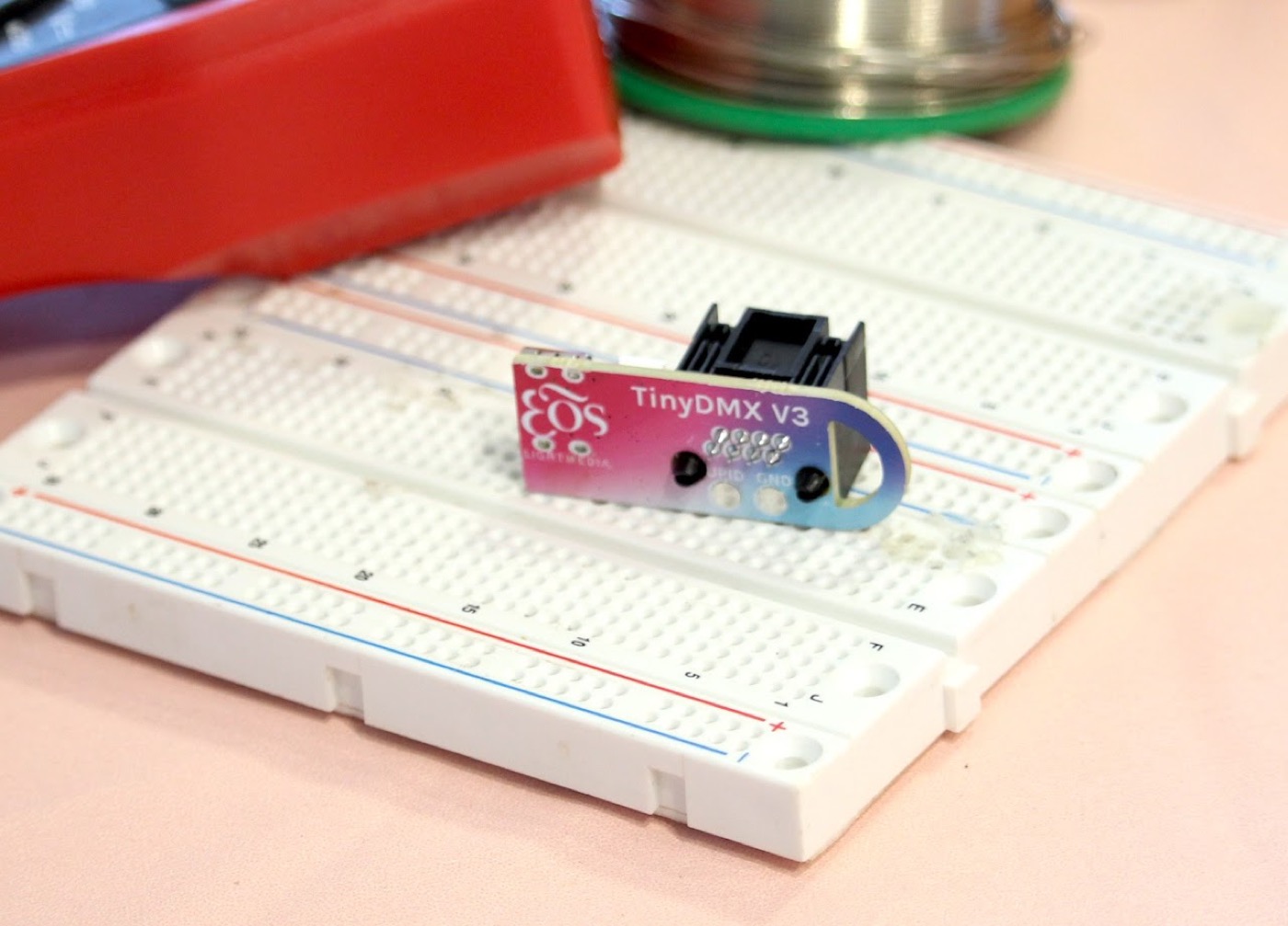
Meet TinyDMX

The pocket-sized DMX tester built for real-world chaos. Get fast, reliable DMX output anywhere without dragging out your full console — perfect for techs, electricians, and anyone tired of tangled cables and guessing games.

A tangle of cables on a job site
Sick of job sites that look like this?

Untangle the mess before it starts.

Whether you're testing data lines, checking terminations, or verifying mid-stream signal flow, TinyDMX sends out DMX512 control so you can troubleshoot quickly and confidently. No more risking your expensive console or unplugging half the rig to figure out what's going on. Just plug it in. Test. Done.
The basics

Built for anyone who touches a data line

DMX (Digital Multiplex) is the standardized protocol behind modern lighting control — the backbone of stage lighting, architectural installs, and live events. TinyDMX makes verifying a DMX chain quick for the people on site.

Field technicians

Verify DMX signal integrity on-site fast, without hauling out a full console.

🔌

Electricians & trades

Validate wiring or troubleshoot data lines even without deep DMX knowledge.

AV & lighting installers

A quick go/no-go test tool during system commissioning.

🏎

Anyone on a job site

Lightweight and portable — avoid delays, miswiring, and back-and-forth.

Operating your TinyDMX

Three steps, no console

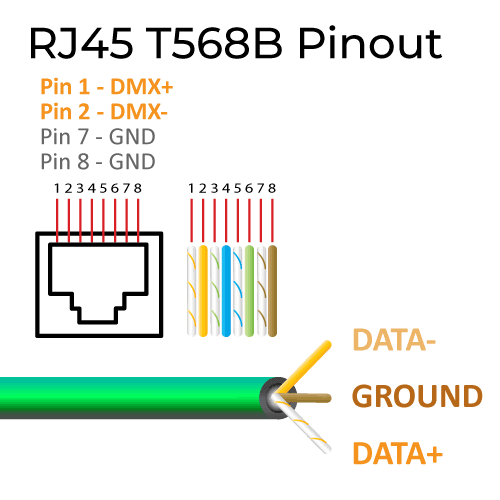
RJ45 T568B pinout for DMX wiring
1 · Connect

Wire it into your lighting system

Use a modified CAT5 cable into the DMX Out (RJ45) port. Map Orange/White → Data +, Orange → Data −, Brown or Brown/White → Ground (tab facing away when you follow the pinout). Prefer a faster setup? A pre-made RJ45-to-5-pin DMX adapter works too.

2

Power it up

Connect USB-C to any standard source — laptop, wall plug, or phone charger. On power-up it drives all connected lights to FULL; that's normal and confirms startup. Use a dedicated source rather than a battery pack for the most stable output.

3

Cycle the test modes

Press the control button to step through modes, shown on the LED indicator: Full White, Half White, then Red / Green / Blue / White channel isolation for RGB and RGBW fixtures, and Off.

Good to know

TinyDMX doesn't detect 3- vs 4-channel fixtures — it outputs to every 3rd or 4th channel. We don't recommend testing moving-light fixtures; pan/tilt can behave unpredictably. It's built for basic fixtures and simple channel checks.

You're all set

Help us make TinyDMX even better

Got feedback, suggestions, or ideas? We'd love to hear them.

Email [email protected]